
It’s very easy to customize the trusted sites for users by using group policy preferences without locking the settings down however what about websites that need to be ran as a different user?
To work around this I created a simple C Sharp program that sets the registry before launching the site in IE
using System;
using System.Diagnostics;
using System.ComponentModel;
using Microsoft.Win32;


namespace ConsoleApplication1
{
    class Program
    {
        static void Main(string[] args)
        {
            Registry.SetValue(@"HKEY_CURRENT_USER\Software\Microsoft\Windows\CurrentVersion\Internet Settings\", "", ""); //Tree
            Registry.SetValue(@"HKEY_CURRENT_USER\Software\Microsoft\Windows\CurrentVersion\Internet Settings\ZoneMap", "", ""); //Branch
            Registry.SetValue(@"HKEY_CURRENT_USER\Software\Microsoft\Windows\CurrentVersion\Internet Settings\ZoneMap\Domains", "", ""); //Branch
            Registry.SetValue(@"HKEY_CURRENT_USER\Software\Microsoft\Windows\CurrentVersion\Internet Settings\ZoneMap\Domains\happysccm.com", "", ""); //Branch
            Registry.SetValue(@"HKEY_CURRENT_USER\Software\Microsoft\Windows\CurrentVersion\Internet Settings\ZoneMap\Domains\happysccm.com", "*", "1", RegistryValueKind.DWord); //Branch's value
            Process.Start("IExplore.exe", "http://portal.happysccm.com");
        }
    }
}
Zones:
Value Setting
——————————
0 My Computer
1 Local Intranet Zone
2 Trusted sites Zone
3 Internet Zone
4 Restricted Sites Zone
Create the Installer:
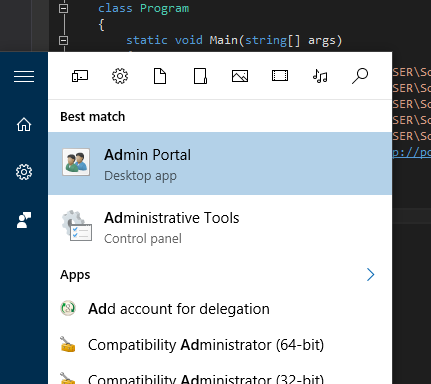
Compile the package and copy it to where you want it on the clients system. Then create a shortcut to the exe.
Copy the exe and shortcut to your network share.
Create an Install.bat:
xcopy.exe "Admin Portal.lnk" "C:\ProgramData\Microsoft\Windows\Start Menu\Programs\" /Y
xcopy.exe IDMAdmin.exe C:\ProgramData\IDMAdmin\ /Y
Deploy!

Leave a Reply